
If you have a Windows 10 computer that does not meet the requirements to update Windows 11, you are likely to ask what to do when The official support comes to an end in 2025. And, once Microsoft says goodbye to security updates, your team will become vulnerable to malware.
You may have considered making the leap to Linux, which is one of the best open source systems, but if you are not an advanced user or simply look for something more intuitive, it is very possible that the environment of the GNU/Linux distributions seem complicated.
The learning curve, the differences in the installation of programs or the management of the system can quickly demotivate yourself if what you need is something simple, fast and direct. That is where Chromeos Flex comes into play, a solution developed by Google that can give a second life to your old computer, without having to invest in new hardware.
Chromeos Flex, a light, free and compatible solution with old equipment
It is a light version of Chromeosthe operating system that the Chromebooks lead as standard. The difference is that this version is not limited to a specific hardware, which means that you can install it on Windows or even macOS computers.
You only need a USB memory of at least 8 GB and a few minutes to configure it. Google launched this solution precisely in response to programmed obsolescence that affects thousands of teams after the announcement that Windows 10 will stop receiving support in October 2025.
Faced with that reality, this alternative allows to prolong the useful life of equipment that can no longer execute modern Windows versions, with a fast, safe, efficient and without any cost system. In addition, it is immune to viruses and other threats.
In addition, It works in a huge number of equipment released during the last 10 yearstherefore, if your PC is not a museum piece, it is most likely that Chromeos Flex without problems can run. For all this, it is undoubtedly one of the best options you have on the table right now.
It is a cloud -based system, designed to offer a simple and fast experience, where all essential tools (browser, storage, mail, video calls, office, etc.) are available directly from the Internet.
It should be noted that your start is almost instantaneous, It does not require constant maintenance and is updated automatically. In addition, it has advanced virus protection and security functions integrated by default.
It is especially indicated for those who use the computer to navigate online, work in the cloud with Google Drive, edit documents, attend virtual classes, see streaming content or manage mails. In this type of use, the difference with Windows is minimal, but the fluidity and low consumption of resources are notable.
To install Chromeos Flex you need:
- A computer with 64 -bit Intel or AMD architecture.
- At least 4 GB of RAM.
- 16 GB of storage on the hard drive.
- Access to BIOS and the possibility of starting from USB.
- A USB memory of 8 GB or more.
Computer today
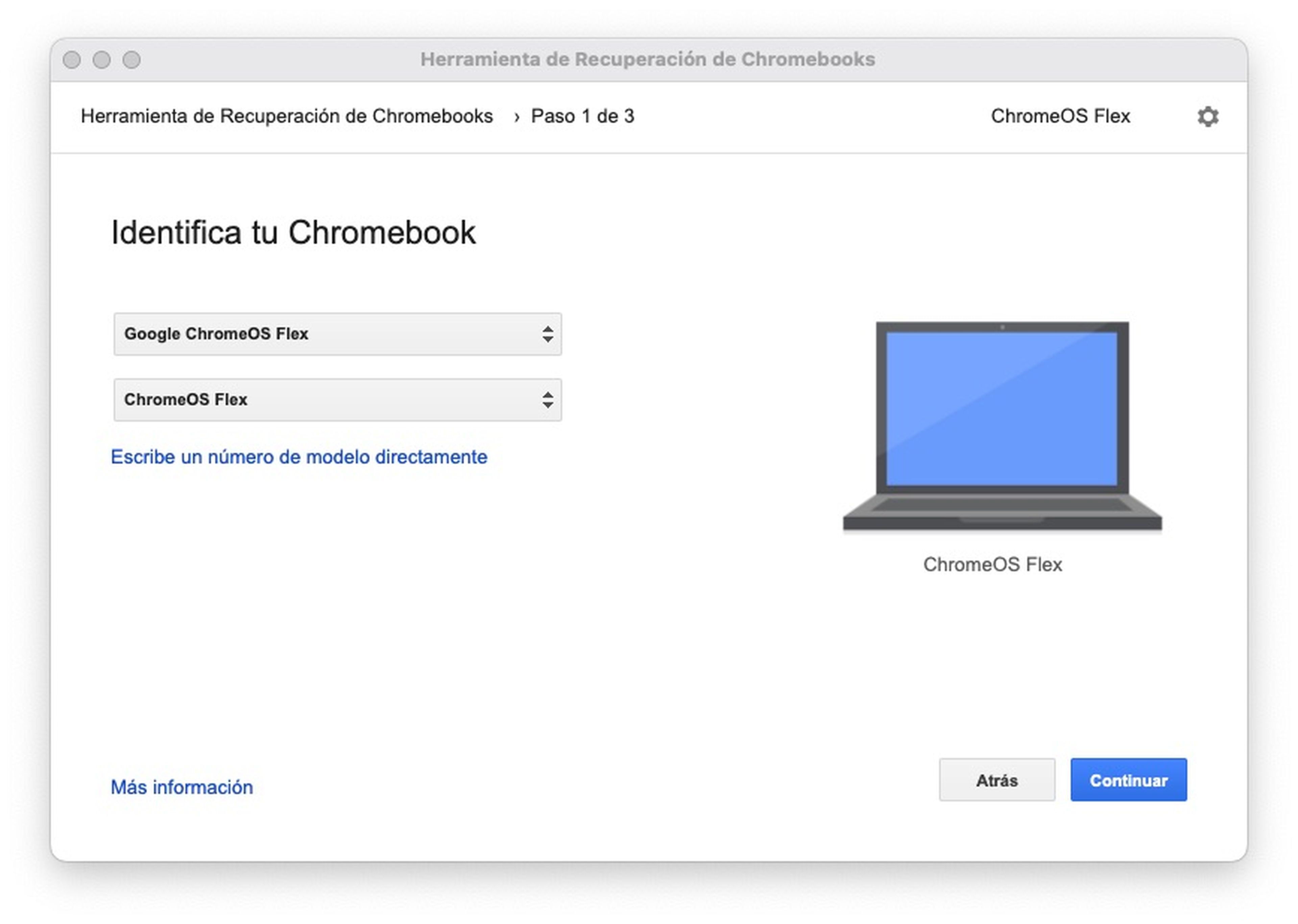
The installation process is quite simple and you can do it without having any previous knowledge. The first thing you should do is download the image of the system with the official Chromebook recovery tool (Chromebook Recovery Utility) That you can download from Chrome Web Store.
Then, you connect the pendrive and in the tool you follow each and every one of the steps that appear on the screen. In a few minutes the system will be mounted on the USB and then you will have to restart your equipment. It should be noted that you can try Chromeos Flex directly from the USB without installing it, or choosing to install it on the hard drive (this will erase the system and everything that has stored).
If you have a laptop or desktop with Windows 10 and you know that it will not be compatible with Windows 11, This may be your perfect opportunity to try something new, free and functional. Chromeos Flex is not only a practical output, it is also a sustainable option that allows reducing technological waste and lengthening the useful life of your device.
Know How we work in NoticiasVE.
Tags: Windows 10