
Not everything is worth asking for tasks to artificial intelligence tools such as Chatgpt, Claude or Google Gemini.
At the same time that companies have perfected these models, new professions have also appeared, such as the IA Prompts engineer, dedicated to correctly specifying the indications so that the chatbot responds accurately.
Thanks to these AI engineers, chatbots have become more useful in complex tasks such as the generation of code for web or applications, the creation of images or research work.
In recent months, a new tool has appeared as System Prompt Masterwhich allows users less experienced in Prompts Engineering to easily improve any indication of concrete tools, such as Gemini, Claude and Chatgpt.
With this, you will not even have to think what you ask each of these models, since It allows to generate a detailed prompt or improve an idea that you already haveso that it is as detailed as possible without having to write beyond a phrase.
We have put it to the test and it has a free version with credits that are updated every day so you can use the tool with the aim of perfecting your PROMPTS.
How System Prompt Master works
To start using this tool, you will need to create a free account from this link. From the first moment, you will have 50 credits that will allow you to create prompts or improve your original ideas – the credits are updated daily.
If you want to use the creation of Prompts, it is as simple as select that option and write a phrase with whatever you want. In this case, we have asked the tool to create a perfect prompt to generate a hyperrealistic image.
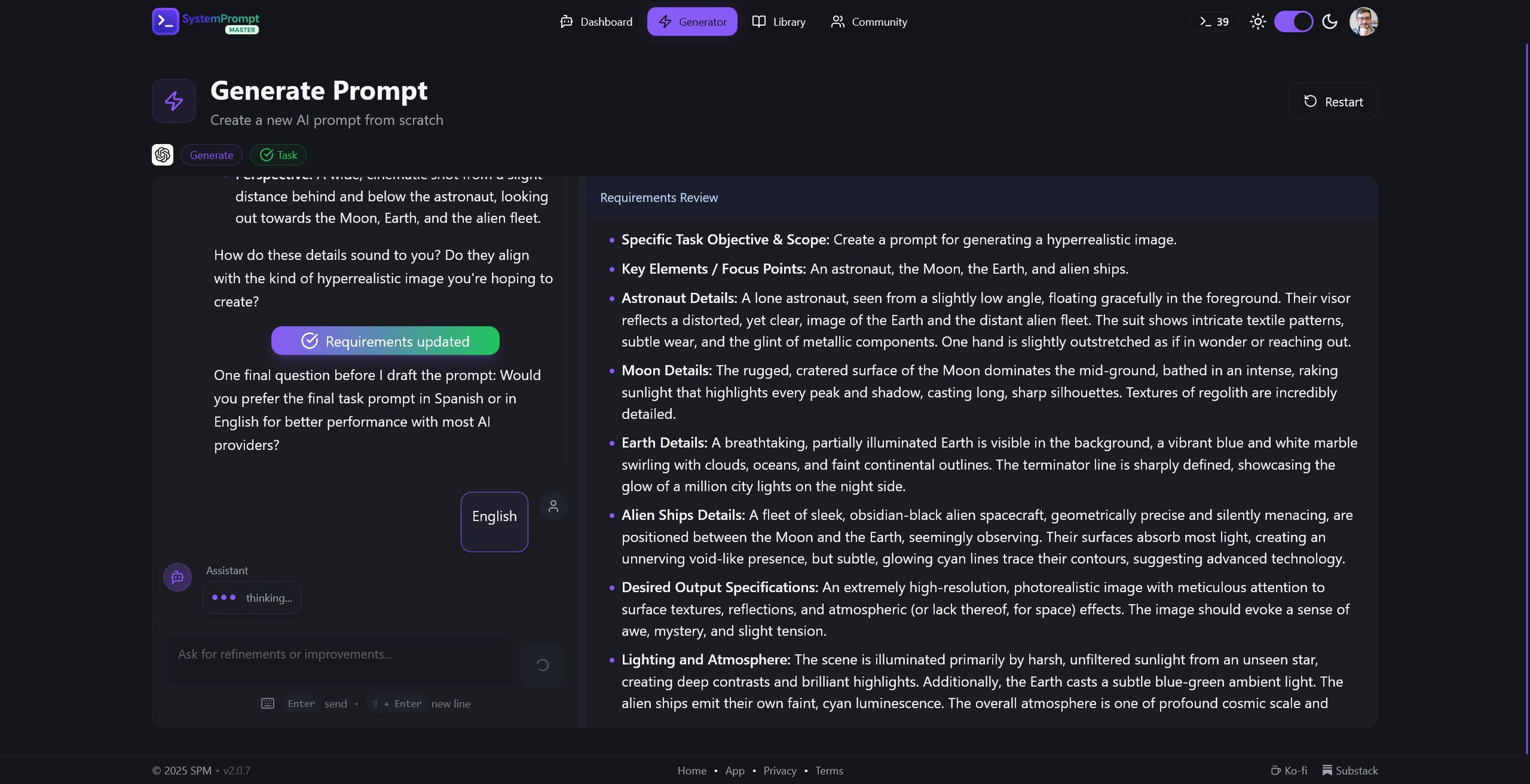
From here, a kind of canvas will appear with a chatbot on the left side that will ask you some details if you need additional information; to the right, It will offer you the most detailed prompt possible so that you directly copy and paste it In your favorite AI tool.
Computer today
In case you want to improve a prompt, you will ask you the tool in question –GPT-5 of Open AI, Claude or Gemini-and if you prefer a model of agent or specific tasks.
The agent is perfect if you need tools, behavioral rules or a previously defined model, for example, to review lines of code or create a chatbot for a tourist website with capabilities to manage reservations.
For its part, The task option offers something simpler For direct instructions with immediate results, such as the generation of images, document summaries, data analysis or content creation for publications in social networks.
In addition to this, you can import a prompt directly from your library if you have previously kept any or, directly, create a new one, as in the following example: «Create an image of an astronaut watching the arrival of alien ships to the earth from the moon.»
Although the tool is available only in English, it perfectly recognizes any indication in Spanish – although the answer is always in the original language – and will ask you some more detail if you need it.
Generated with Ia
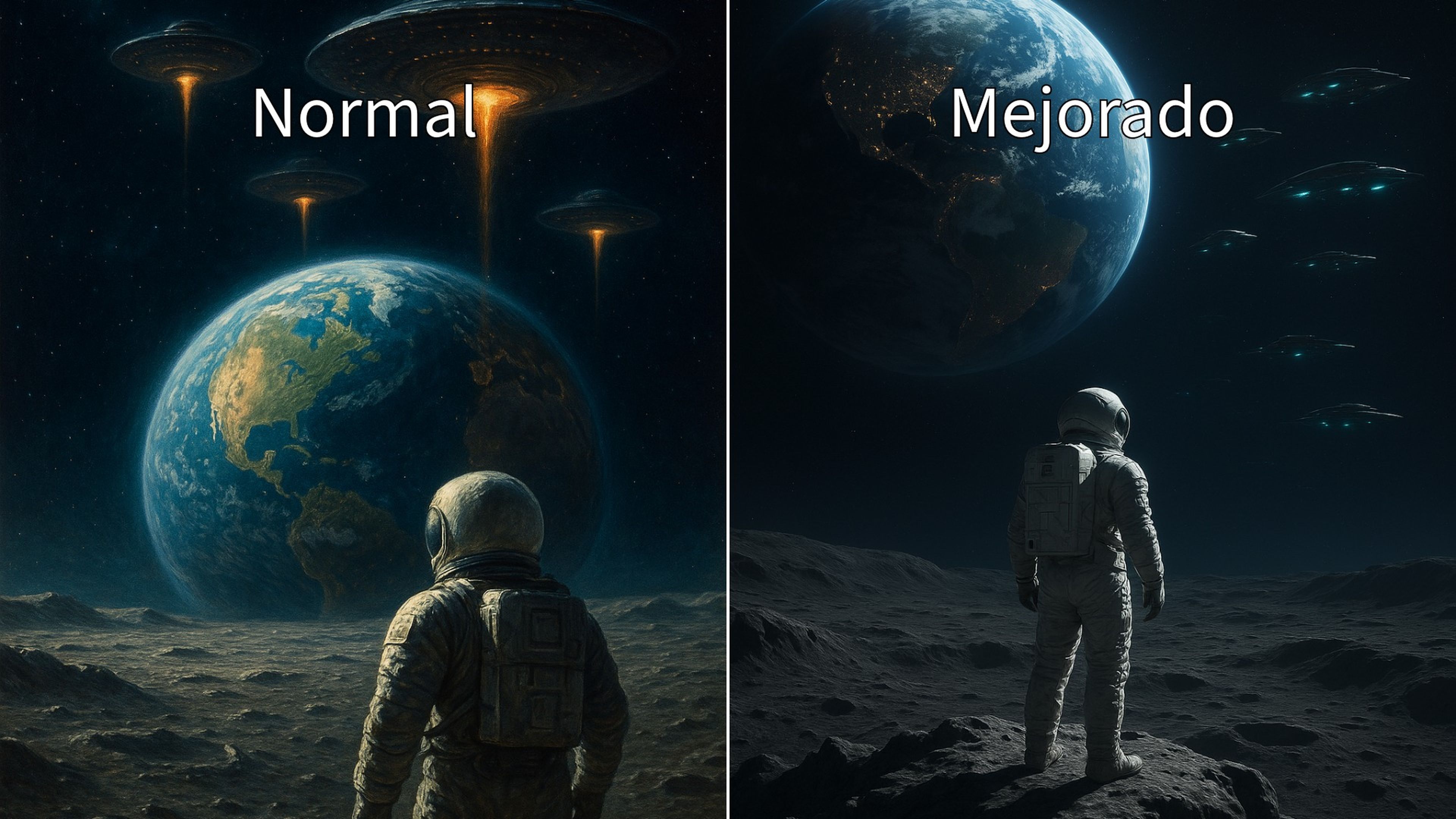
In the example you see, System Prompt Master has offered a wide variety of characteristics, such as lighting details, the size of the central objects so that they are not too artificial, as well as colors and styles of each element of the image.
The final result has been a very extensive prompt that condenses all the information with the maximum detail, generating a final result that Chatgpt has perfected, as you have seen in the previous example.
As with the images, you can choose different elements of the community bookstore, in case you need the tool for other more complex tasks, such as code review or editing with other models such as Manus AI.
Know How we work in NoticiasVE.
Tags: Artificial intelligence, tricks