
If your Windows 10 computer runs out of support this October 14 and does not meet the requirements to update Windows 11, it is time to look for alternatives. But if you do not want to give up the aesthetics or the usual comfort, Linuxfx It can be just what you need.
This distribution is based on Linuxbut it has been designed with a clear objective, which is to look like everything possible to the Microsoft system. From the icons to the taskbar, through the file explorer and the start menu, everything is a dirt.
It should be noted that it is an option designed for those who want to continue using a recognizable graphic interfacebut without giving up performance and with freedom offered by an open source platform.
There are many Linux distros to make the jump from Windowsbut few make change so simple. If you do not want to start from scratch or face a learning curve that is too pronounced, this option offers a family, practical and functional experience from the first minute.
What is Linuxfx and why it looks so much like Windows
Linuxfx, also known as Winuxit is a GNU/Linux distribution that replicates in detail the appearance of Windows 11. It is not just about imitating its design, but also reproducing the way in which the system is navigated, how the windows open or even how the search engine behaves. Even Copilot has its hole on the desktop, with a perfectly recognizable icon.
The first thing that attracts attention is that the desktop, the configuration menus, the sounds and even the direct accesses They are practically identical to those of the Microsoft operating system. But with an important difference: here you will not find advertising, or annoying warnings, or a telemetry system that tracks what you do.
Everything works clean, lightly and without unnecessary elements, which is appreciated in teams with less power. The idea behind is that anyone who has used Windows can feel comfortable from the first moment. It is not necessary to relear everything or spend hours by configuring the environment. Simply install it and start working.
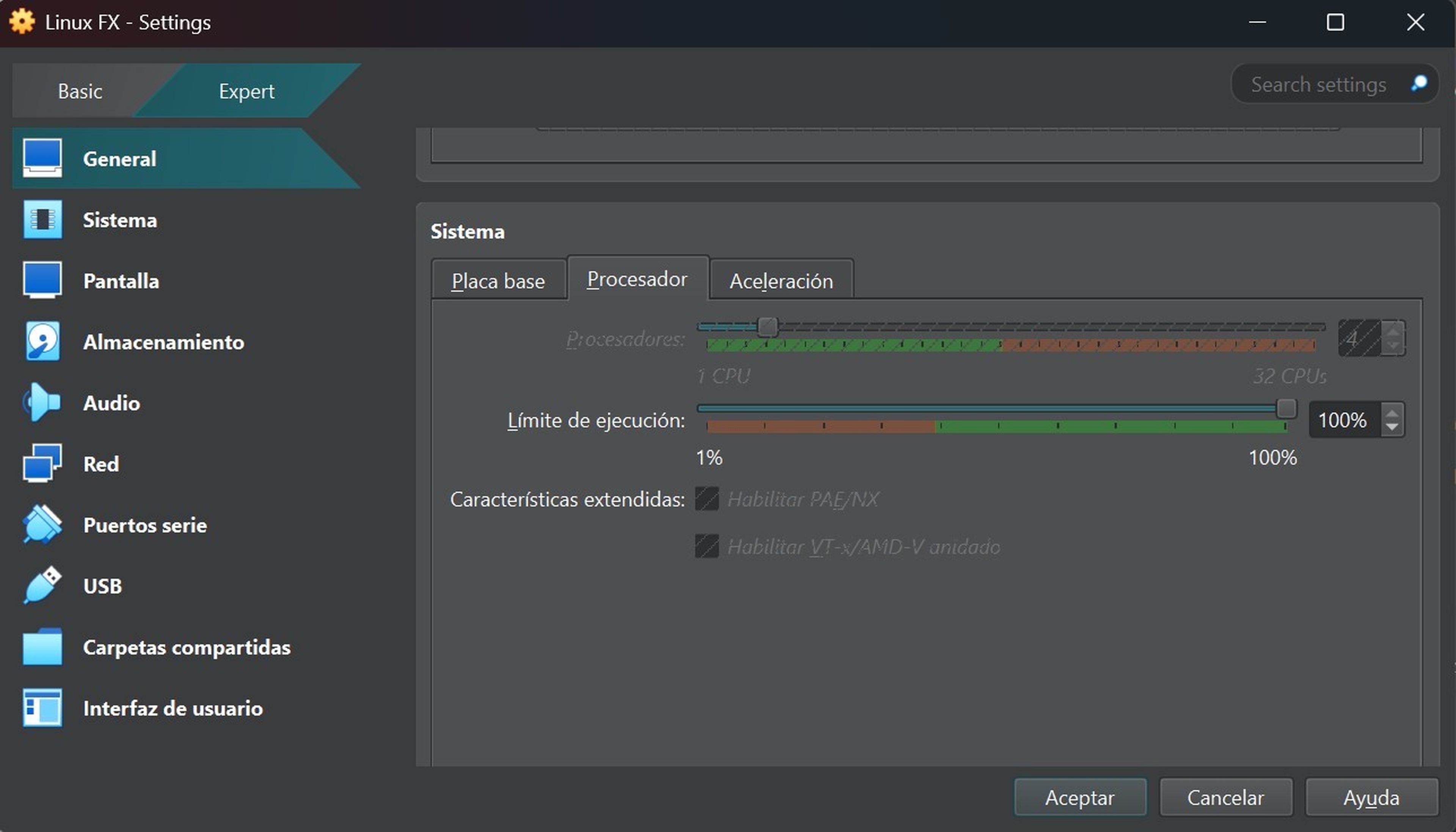
At a technical level, You do not need a state -of -the -art computer to start. It is enough with a two – -bit two -nuclei CPU, at least 2 GB of RAM – although it is recommended to have 4 GB – and 20 GB of free space on the disc, preferably in a SSD unit. With that it is enough to move the system with ease.
You can install it as a main system on any PC or try it before in a virtual machine. Then, Tools like Virtualbox allow you to run Linuxfx Without modifying anything on your main album.
The process is simple, guided step by step and with an aesthetic that reminds a lot of Windows installation, so there are no technical complications or difficult settings. Once within the system, everything is familiar. You have a desk folder to start the final installation, direct access to the most important configurations and clear menus.
If you prefer to manage the system with commands, you can do it from the terminal, which uses apt-get To update, improve or clean the system. But if you are not interested in touching anything about the terminal, too You can leave everything as it is and continue using the graphic environment as in Windows.
What Linuxfx offers against Windows
The first thing you will notice is that the system starts faster and consumes less resources, this means that there are no hidden processes or unnecessary services running in the background. That improves fluidity, especially in older laptops or equipment.
Nor are you obliged to create an online account or depend on a permanent connection to configure your desk. Here You have more control, more privacy and more margin to adapt the system to your liking. You can install the apps you want, uninstall what you do not use and update with a single click.
The most stable version today is 11.25.07.1also known as noble, which you can download from its official website. But if you need long -term support, you can opt for Linuxfx Pro, an edition with guaranteed maintenance for a decade.
For daily tasks such as navigating, writing documents, managing emails or even running Windows applications through Wine, works without problems. You will not have to give up anything essential, the best thing is that Linuxfx runs under the desktop environment Kde Plasma 5.27.
Computer today
This system is ideal if you come from Windows 10 and you cannot make the leap to Windows 11 because your team does not meet the requirements. It is also perfect if you are tired of the blockages, the forced updates or the feeling that your computer no longer belongs to you.
If you are attracted to the idea of moving to Linux, but you don’t want to face a completely different desktop, here are an alternative that will not dislodge you.
You do not need to be an expert, it is enough that you want to try something new without complications. Linuxfx It allows you to learn, explore, as well as maintain a comfortable and familiar environmentall in a free, free and tied system.
Know How we work in NoticiasVE.
Tags: Linux