
With the fall of official support for Windows 10, Microsoft leaves millions of computers orphaned. Last October 14, 2025 marked the end for this operating system that was no longer updated. The reaction was immediate and, on that same day, Zorin OS 18 was launched, a Linux distribution designed so that any user coming from Windows can take the leap without any problem.
In just two days, Zorin OS 18 exceeded 100,000 downloads. Furthermore, 72% of these downloads came directly from users who had Windows installed, so this alternative seems to be convincing thanks to the idea that you do not have to leave Microsoft’s closed ecosystem.
Contextualizing, in case you don’t know it, Zorin OS was born in 2009 with the goal of making Linux accessible to everyone, especially for those who are not familiar with open source-based systems.
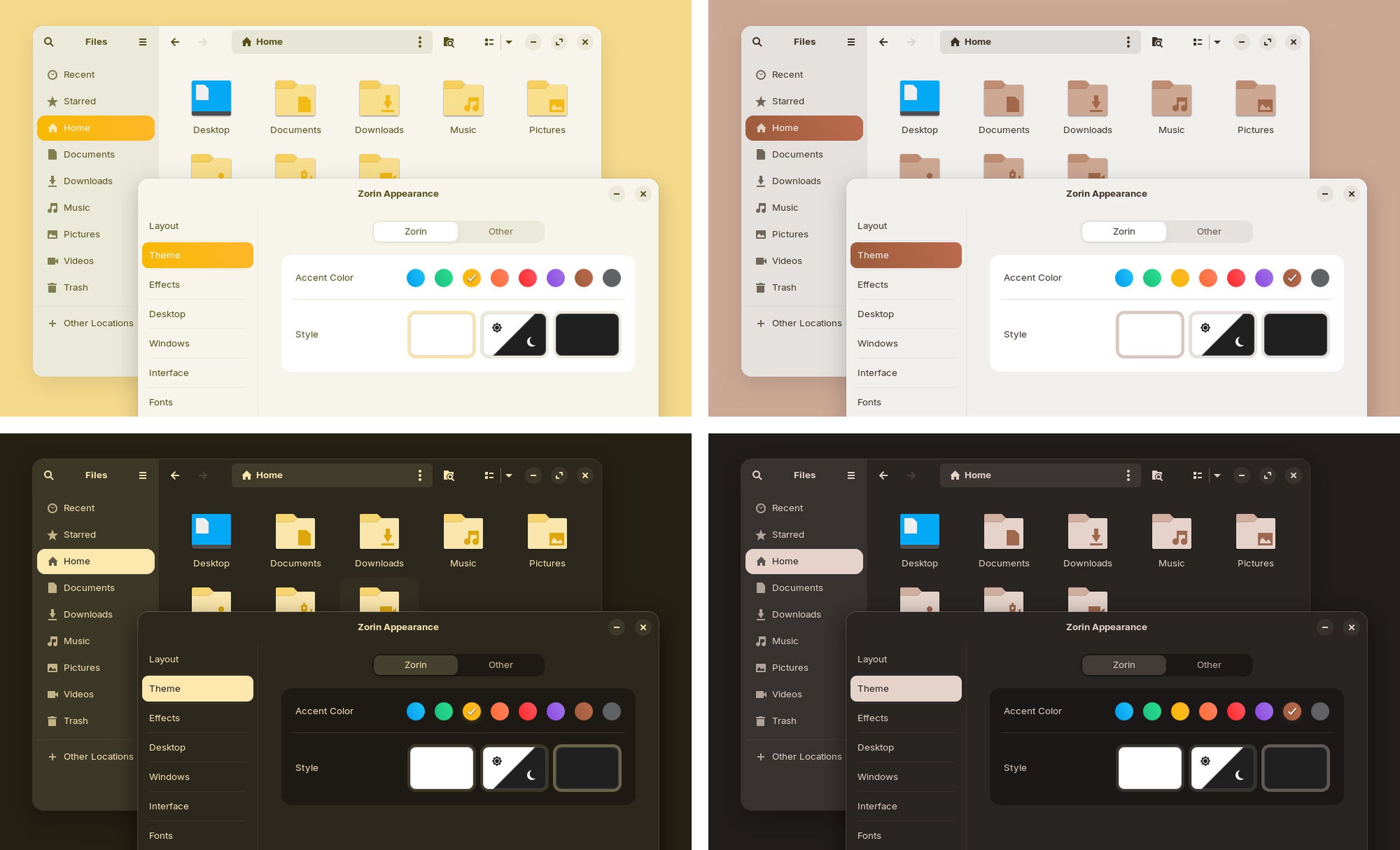
Its user interface uses GNOME, but with a custom layer called Zorin Appearance that allows you to use visual styles reminiscent of Windows 7, Windows 11 and even macOS with a simple click.
ZorinOS
Additionally, it includes integration with Wine and Lutris, allowing you to use many Windows applications and games directly on Linux. In addition to this, the new version has incorporated native support for Microsoft services, such as OneDrive, to make the transition a breeze.
To make your life easier, Zorin OS 18 integrates applications that synchronize your PC with Android smartphones, and a utility called Web Apps that converts websites into desktop applications.
The feeling when using Zorin OS is that of being on Windows, but with all the freedom and security of Linux
Like Windows, Zorin OS offers several editions. The free Core has the essentials and runs under GNOME, perfect for standard users. The Lite, also free, uses XFCE and is perfect for older computers with few resources
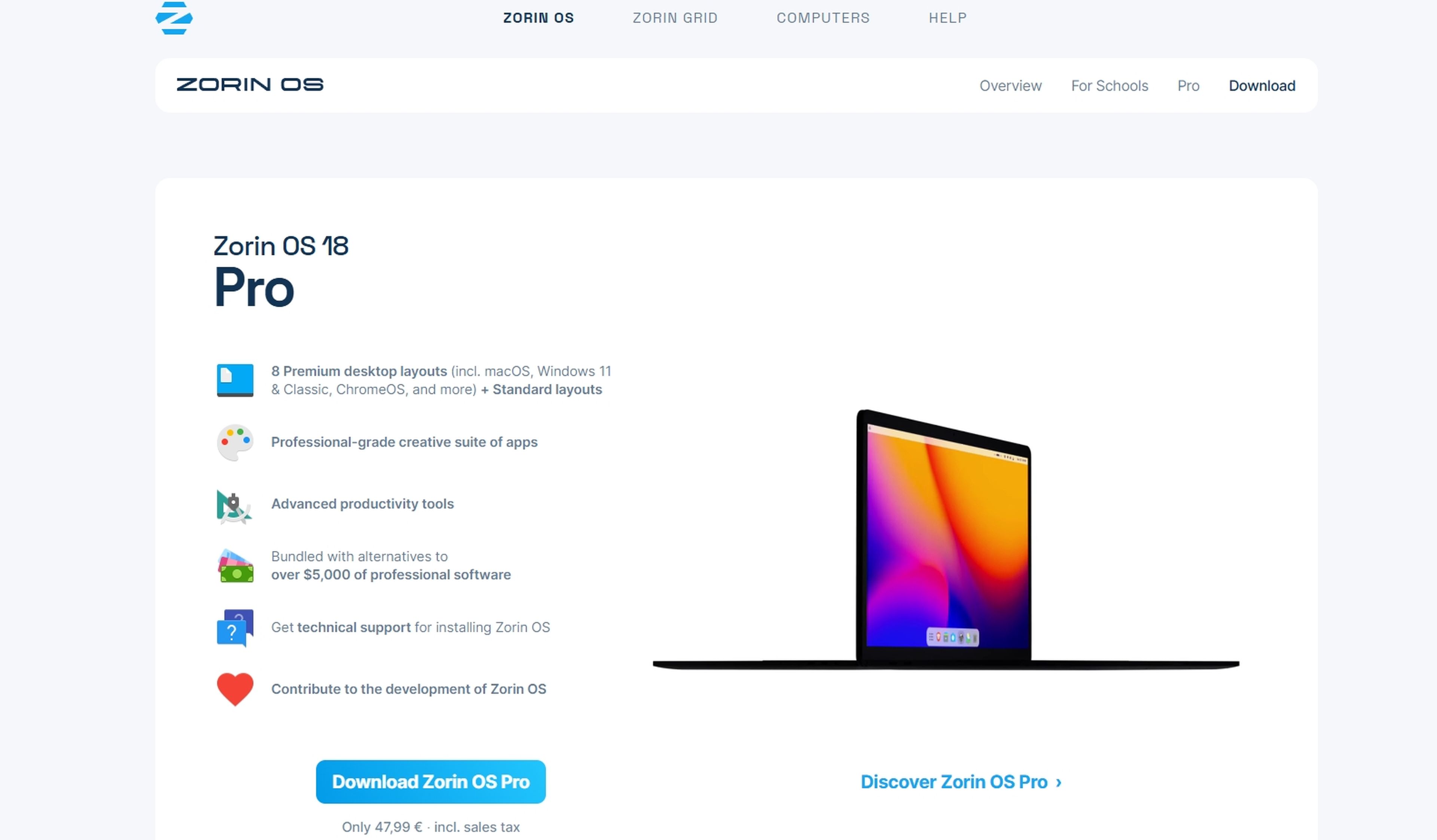
For those working in educational environments, the Education version offers specific applications for students and schools. And for advanced or professional users, the Pro edition, which costs about 39 euros, adds more exclusive backgrounds, priority support and additional visual options for maximum customization.
This broad offering ensures that Zorin OS can be the right option both to rejuvenate classic computers and to provide stability and design to powerful machines, offering a viable and modern alternative to Windows 11 or macOS.
How to install Zorin OS 18 step by step
If you have decided and you also want to take the step, installing it may seem complicated, but in reality you only need to follow a few steps.
First, you have to go to the official Zorin OS website: zorin.com/os/download. There you will see several buttons to download different versions. The most used is the Pro edition, which comes with all the extras and functions. As mentioned before, you will see that you also have free versions such as Core and Lite.
When you choose your version, click the button to download the ISO file, which is an image of the system that you are going to install. Then, what you have to do is save that image to a USB memory. You can use free programs like Rufus, which will guide you through it step by step. That turns the memory into a portable installer.
Computer Today
With the USB ready, connect the device where you want to install Zorin OS and restart the computer to boot from the USB memory. Normally you will have to enter the boot menu or change the boot order in the BIOS/UEFI so that the PC reads the USB first. Then the installation screen will appear.
Now you just have to follow the instructions on the screen. You can try Zorin without installing by switching to Live USB mode, or do the complete installation on the hard drive, replacing or alongside another system. You will see that the interface is very similar to Window, so in a few minutes you will have the system ready.
For those who want to go easy and without taking risks, there is also the option of installing Zorin OS in a virtual machine within Windows. This way you can try it without changing anything and decide if it convinces you before installing.
Add that Zorin OS 18 has long-term support, so you will forget about large updates until 2029. And if you use the Pro version, you will have priority support and visual themes that imitate Windows and macOS very well.
Get to know how we work in NoticiasVE.
Tags: Updates, Computers, Operating systems, Windows 11, Windows 10, Linux