
The end of the official support for Windows 10 is approaching and many users are already watching options. Updating to Windows 11 is the most logical route, but not everyone can or want to do it, either due to hardware requirements or simply by comfort.
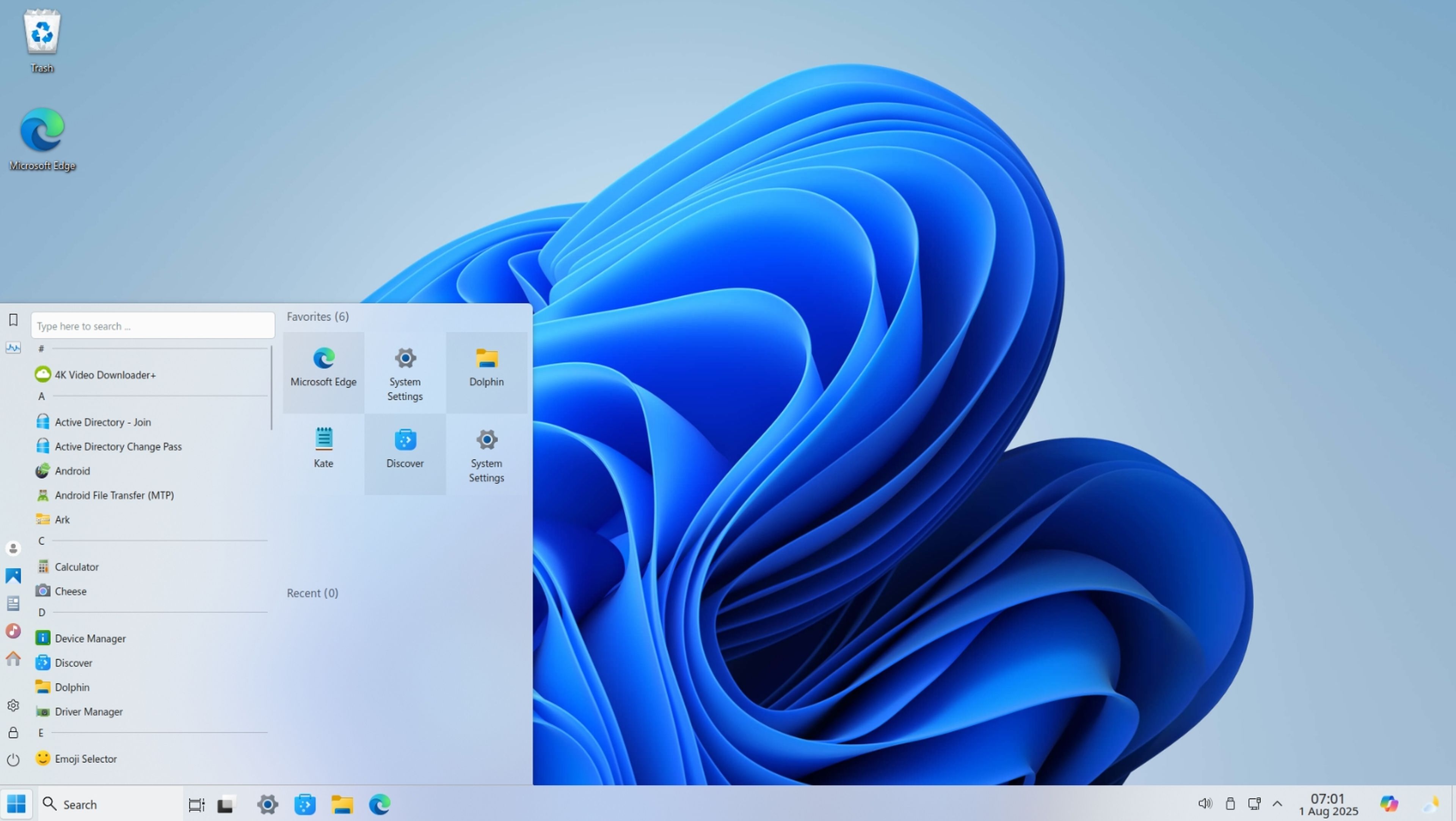
Here Winux enters, a somewhat peculiar Linux distro that tries to change Linux from Windows to be a walk. And it is that Winux is not any free operating system, but one that seeks to resemble Windows 11, starting with the wallpaper and the iconic taskbar.
The system brings the Edge browser, Steam for games and direct accesses to the web version of the Suite Office, so that everything is as always from minute one.
Comment that it is based on Ubuntu 24.04 Lts and offers prolonged support and stability, with the advantage that Linux maintains as new equipment even with old hardware, something that Microsoft sins quite a lot as you already know.
Linux
Perhaps what surprises most is how careful the design is. From menus, icons, sounds and to the way of opening windows, everything remembers the Microsoft operating system. But be careful, this is not Windows 11, nor does it intend to be. It is Linux under the skin, much faster in old computers and without the heavy bureaucracy, ads, or other annoying stories that Microsoft puts.
And it is easy to install it, like any Linux. If you do not want to touch the computer directly, you can even try it on a virtual machine like Virtualbox. While you use it, you can administer this with graphic apps, without the need to get into commands if you don’t want. Of course, if you prefer the terminal, Winux uses APT-GET, the classic Ubuntu manager to install or update applications.
Linux
Of course, it has more than one surprise for gamers. Steam is pre -installed, along with Heroic Game Launcher, which allows access to Epic Games, Amazon and Gog games, both in Linux and Windows. With AMD graphs you are more than good for all this and although with Nvidia and Intel Arc it is time to install drivers manually, everything is quite advanced.
And just to remember it, it is best that it is free and open source, with an increasingly active community and that does not stop growing month by month.
If you want to try Linux for the first time arriving from Windows, Linuxfx is not bad either
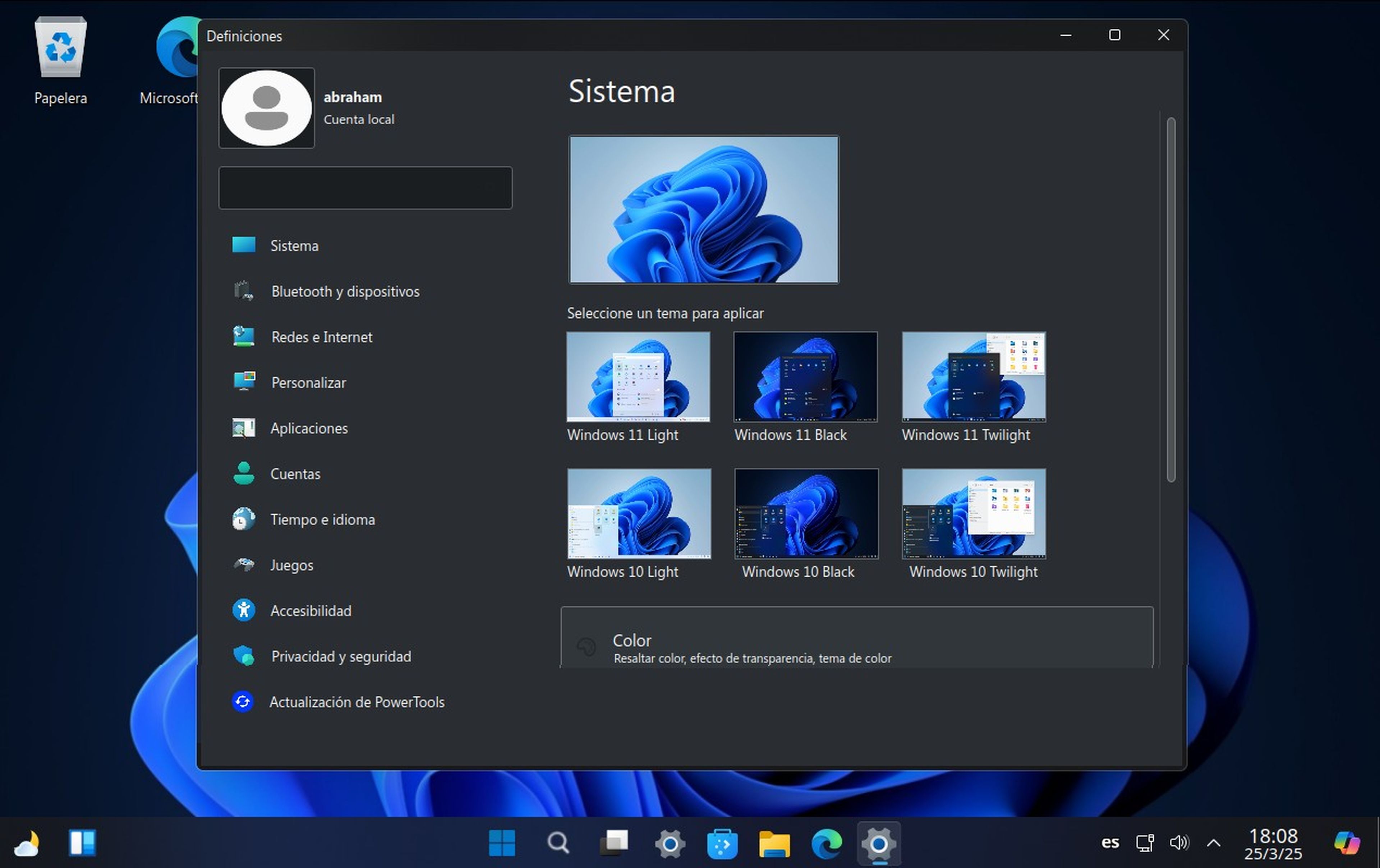
Of course, Linux is full of really good distributions. Apart from Winux, there is also Linuxfx that is probably the Linux distribution less similar to what is usually seen for this operating system, mostly because of its interface identical to what can be seen in the different topics available for both Windows 10 and Windows 11.
The Linuxfx long -term version, that is, the one that will last for a long time, the most stable, is 11.25.03.1, which you can improve in an extended edition of 10 years with Linuxfx Pro.
Computer today
With this Linux distro, you will have at your disposal a desk and graphic interface practically traced Microsoft’s operating system, although with the advantages offered by the open sourcein addition to much more affordable requirements.
In this case, you will only need a desktop or laptop computer with 2-core CPU (64-bit), 2 RAM gigabytes-although it is recommended, there are 4 gigabytes-and internal storage of 20 gigabytes –ssd as recommended by developers.
You can also run this operating system in a virtual machine like Virtualbox. If you just want to see how it works, a virtual machine like this is the best option. You will be able to see that everything is identical and even share the names for their different configurations – in addition to the Windows symbol appears everywhere next to the official images of this system and even Copilot.
Know How we work in NoticiasVE.
Tags: Computers, operating systems, Windows 11, Windows 10, Linux